


Protoss PE11-H from RS485 to Ethernet 220 VAC Power Supply
Item no. PE11-H
PE11-H: Transparent Gateway from RS485 to Ethernet 220 VAC Power Supply
VAT excluded
Specifications
- Weight
- 2000 g
Description
The Protoss-PE11 + is a gateway from RS485 to TCP/IP interface.
The Protoss-PE11 integrates the TCP/IP controller, memory, 10/100M Ethernet transceiver, RS485, and a fully developed TCP/IP network stack and the FreeRTOS operating system. Protoss-PE11 also includes an embedded web server used to configure the device.
The Protoss-PE11, utilizing a highly integrated hardware and software platform, has been optimized for all types of applications in industrial control, smart grid, personal medical applications, and remote control that have lower data transmission speeds and transmit or receive data on an infrequent basis.
Technical Features
- Cortex-M3 MCU with 2MB Flash and 128KB SRAM
- Uses FreeRTOS operating system
- Support TCP/UDP/MQTT/HTTP/WebSocket Protocol
- Support Modbus TCP to RTU, Modbus Master function
- Support RS485 to 10M Ethernet conversion, serial speed up to 460800 bps
- Support 10/100M Ethernet auto-negotiation
- Support easy configuration via Webpage or PC IOTService tool
- Support security protocol such as AES/DES3
- Support Heartbeat and Resister packet function
- Support Webpage OTA wireless upgrade
- Support industrial temperature: -40 to +85˚ C
- Multiple types of different power input:
- Protoss-PE11-H:220 VAC
- Dimensions: 97.60 x 64.95 x 27.50 mm (L x W x H), C45 rail installation
Frequently asked questions
Related products

MB3180
MB3180 Gateway MODBUS TCP - RTU
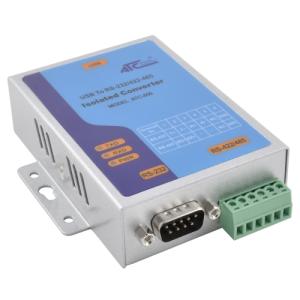
ATC-850
ATC-850 - USB-to-serial RS232 and RS485/422

DK-35A
DK-35A - DIN-rail Accessory

D540-611E00
UHF RTU RADIOMODEM with antenna

ELFIN-EW11-485-ANT
ELFIN-EW11-485-ANT RS485 to WiFi connection device with external antenna

HF2221
HF2221 Device Server - two RS232/RS485 ports, TCP/IP, WIFI

PE11-M
Protoss PE11-M RS485 to Ethernet 24 VDC Power Supply

PW11-M
Protoss PW11-M RS485 to WiFi complete with external antenna, 24 VDC power supply
